Growth Cortex
The shared memory every Robynn agent reads from — your brand story, facts, and voice, kept in one place and kept current.
One memory every agent writes from.
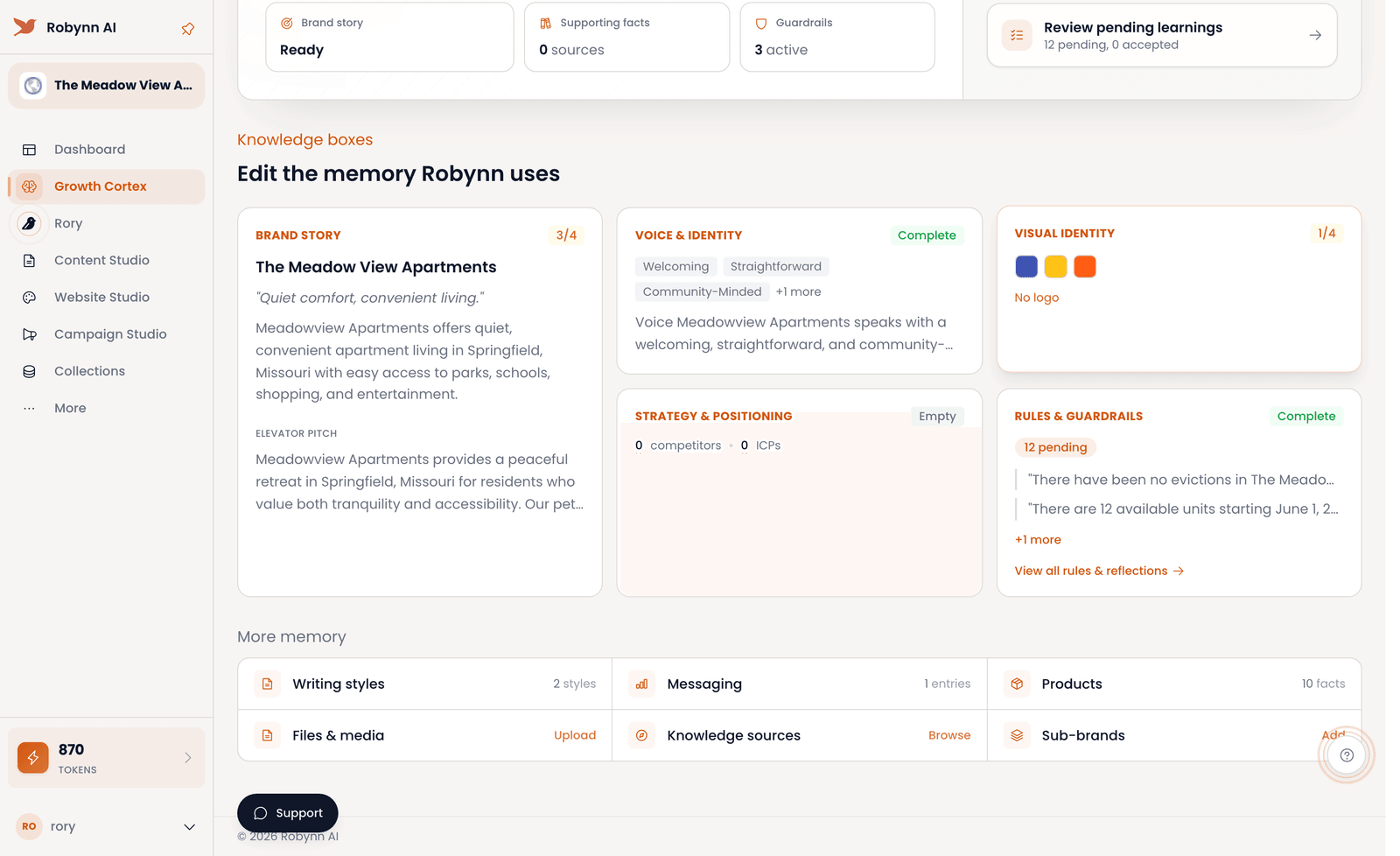
Growth Cortex is your shared brand memory — the source of truth that Rory, Content Studio, Website Studio, and Campaign Studio all read from. In-product it reads as "Robynn's Understanding", and you edit it directly.
Most tools start each task from a blank slate, so you re-explain your brand every time. Growth Cortex holds it once: the brand story, supporting facts and Knowledge Sources, your writing styles, messaging, products, files and media, and any sub-brands. Every agent inherits it, so curate it well and the output downstream is on-brand by default — you stop correcting the same mistake in three places.
The brain everything else inherits.
The Understanding
Robynn's read on your company — the brand story that frames every draft, every page, every campaign.
The Facts
Supporting facts, Knowledge Sources, products, files and media — the proof the agents cite instead of guessing.
The Voice
Writing styles, messaging, and sub-brands — how each piece should sound, and for which audience.
Set up your brand memory — and keep it honest.
Set it up
Before you start: have your brand basics handy — story, voice, key facts.
-
Correct the brand story
Open Robynn's Understanding and read the brand story it holds. Click Edit understanding and fix anything that's wrong before it spreads downstream.
-
Connect your sources
Under Knowledge sources, hit Browse and connect Google Drive, Notion, your website, or GitHub. The more grounded the memory, the fewer guesses agents make.
-
Set voice and messaging
Open Writing styles and Messaging to define how pieces should sound. Tone lives here, not in each individual draft.
-
Add your products
Open Products and record each one as a fact, so every agent describes it the same way in every channel.
Keep it current
Before you start: do this when the brand has shifted and the memory needs to catch up.
-
Review pending learnings
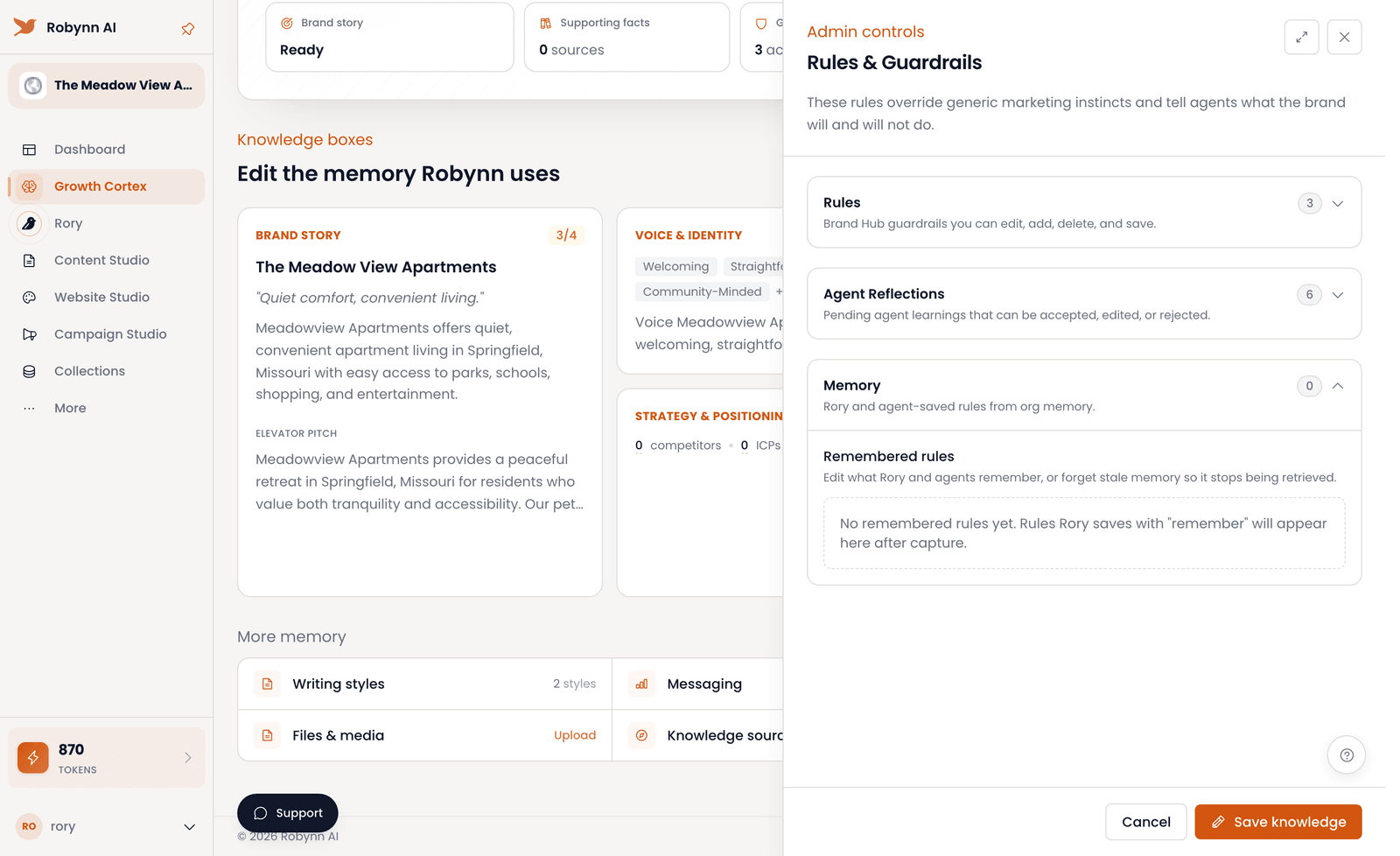
Click Review pending learnings and open the Agent Reflections tab. Accept, edit, or reject each proposed change — the memory only moves with your sign-off.
-
Add files and sub-brands
Open Files & media and Upload new assets, then go to Sub-brands and Add one so each audience reads from the right context.
-
Preview the memory
Hit Preview to read the full memory in one place before any agent works from it.
-
Export when you need it
Click Export PDF to take the memory outside Robynn — for a brief, a partner, or a review.
Keep the memory rich, and keep it fresh.
Sub-brands
Spin up a sub-brand — a slightly different brand context — and choose it in Rory and anywhere else you work, so the right voice shows up for the right audience.
Supporting docs
Upload your own brand and design docs to support or override what Growth Cortex inferred. Your source of truth wins.
Knowledge sources
Connect Google Drive, Notion, your website, or GitHub. Robynn pulls changes from them so the memory stays current without anyone re-entering it.
Rules & guardrails
Set the rules agents must follow — what the brand will and won't do — and let Robynn propose new ones from what it learns, for you to accept, edit, or reject.
Your brand memory is set — every agent now writes from it. Next: open Rory and hand it a task.