Campaign Studio
Where a sentence about who you want to reach becomes a campaign you can run, watch, and steer.
Turn a sentence into a running campaign.
Campaign Studio is where a plain-language target becomes a multi-step campaign you review, run, and watch — you name the outcome, the agents do the assembly.
On the Campaigns screen you describe who you want to reach, Robynn builds the plan, and you move it through status from Drafts to Active. You keep the calls only you can make — the target, the goal, and what's allowed to run.
One goal, one pipeline, full control.
The goal
A target and an outcome in a single sentence — who you want to reach, and what you want from them.
The plan
The multi-step campaign Robynn assembles from your goal. Read it during Continue setup, before it runs.
The pipeline
Where every campaign lives by status — Drafts → Ready → Active — so you always know what is moving and what is waiting on you.
From a goal to a running campaign.
Start from a goal
Before you start: know the outcome you want.
-
Open a new campaign
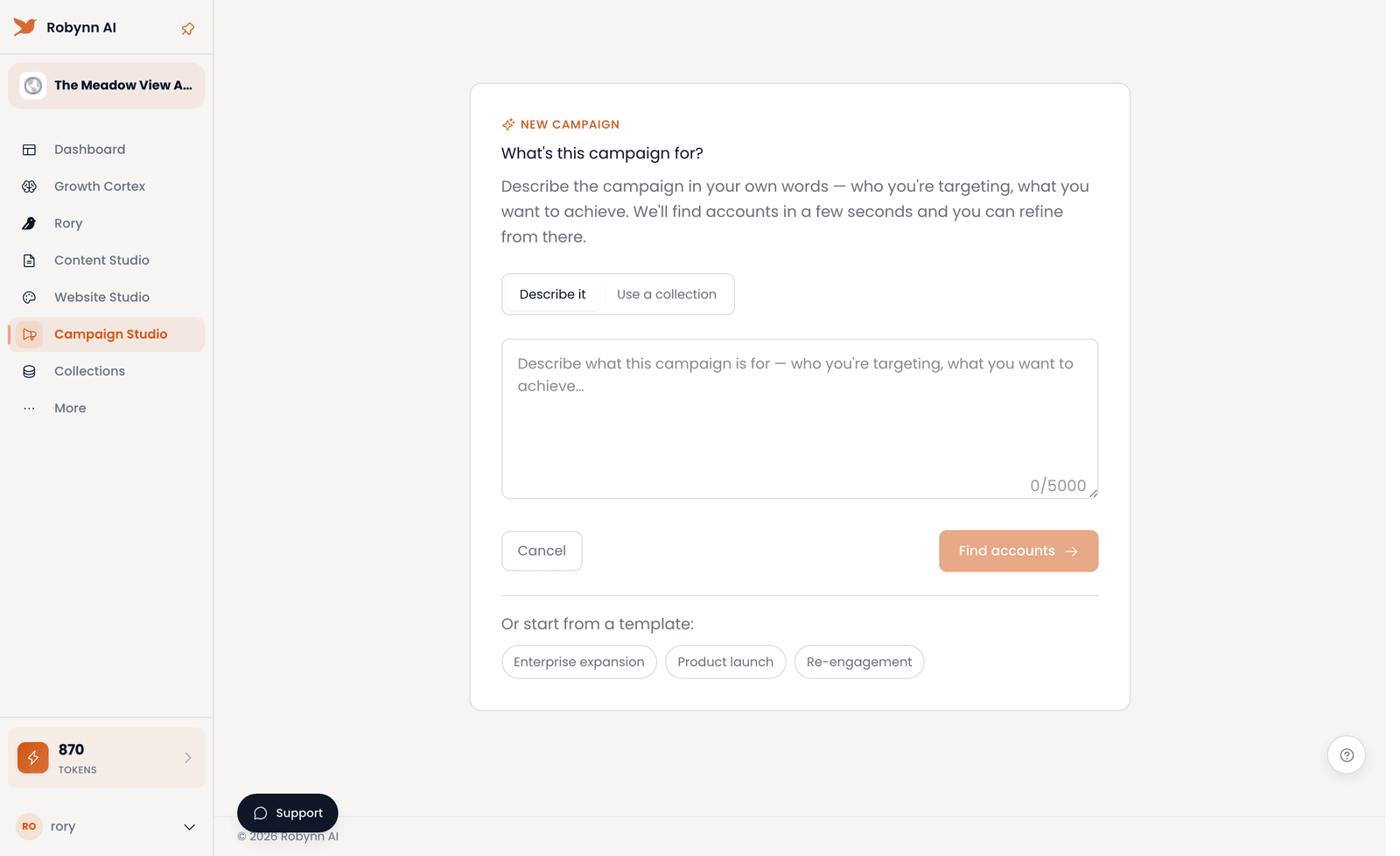
On the Campaigns screen, click New campaign, then choose the Describe it tab over Use a collection.
-
Describe the target
In the free-text box, type the target in plain language — "Get me 50 potential renters in Springfield, Missouri." Or start from a template: Enterprise expansion, Product launch, or Re-engagement.
-
Find accounts
Click Find accounts. Robynn reads your sentence and assembles a multi-step campaign around it.
-
Review before it runs
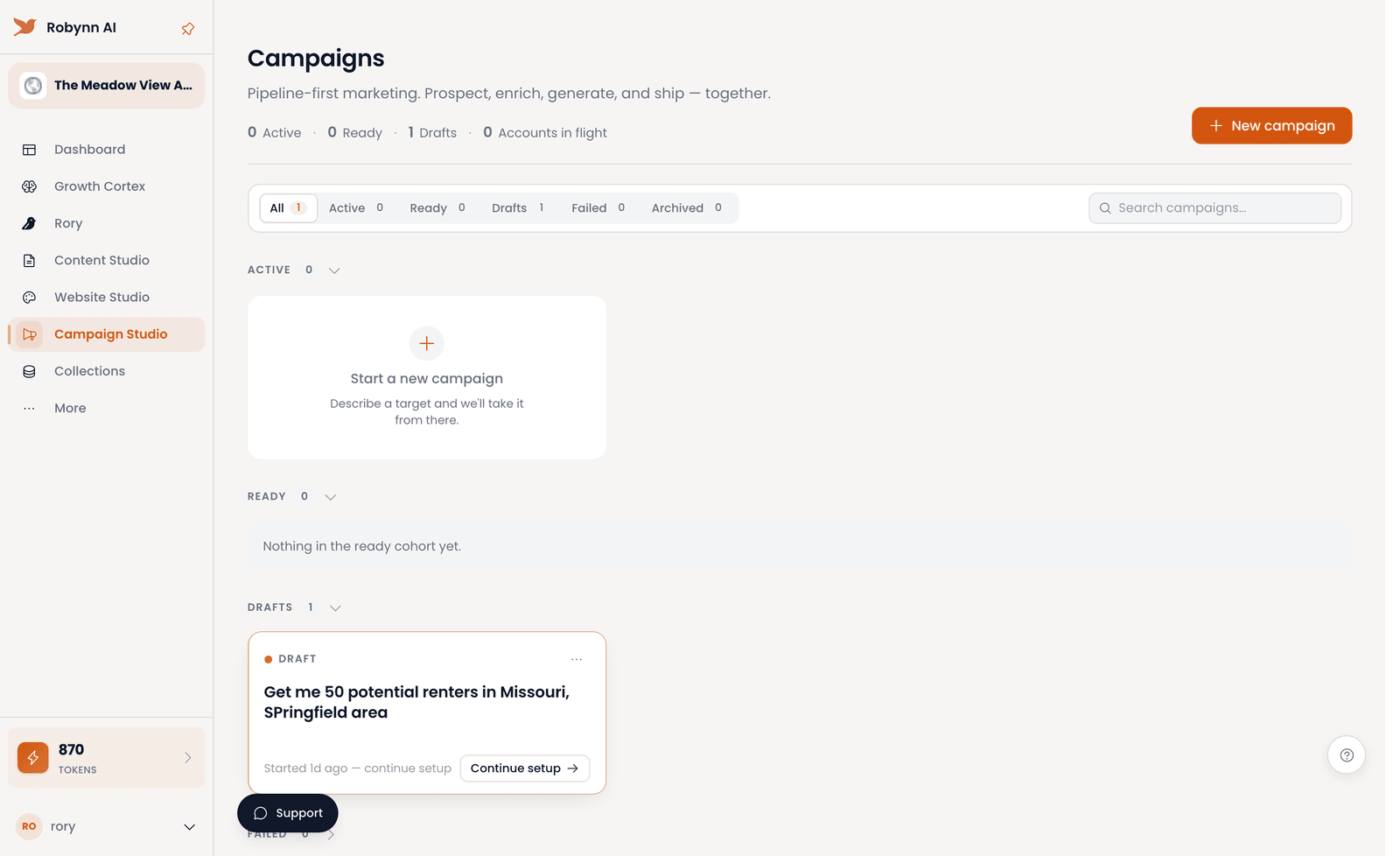
Click Continue setup and read the plan Robynn built. Nothing runs until you've seen it and moved it forward.
Run and manage it
Before you start: have a campaign in **Drafts**.
-
Move it to Ready
Take the campaign from Drafts to Ready once setup is done and the plan holds up.
-
Set it Active
Move it from Ready to Active to put the campaign in motion.
-
Filter by status
Use the status filters — All, Active, Ready, Drafts, Failed, Archived — to see exactly where each campaign stands.
-
Handle and archive
Address anything that lands in Failed, then Archive what's done to keep the pipeline clean.
You turned a sentence into a running campaign you can watch by status — you named the outcome; Robynn built the campaign. Next: feed it from Content Studio so every touch is on-brand.